Troubleshooting Solar Security Camera Night Vision: Fixing Blurry Footage and Glare
Is your outdoor solar security camera producing blurry, foggy, or washed-out video as soon as the sun sets? To fix night vision distortion immediately, clean the camera's optical glass dome with a microfiber cloth, pan the lens 10 to 15 degrees away from adjacent walls or soffits to eliminate infrared reflection bounceback, and ensure your solar battery charge is above 20% so the IR LEDs and spotlight receive full voltage power.
Night Vision Distortion Visual Diagnostic Flowchart
- What is the primary visual defect in your night footage? → Yes: White Cloud / Bright Washout. No: Fuzzy / Grainy / Dark Image.
- Is the white glare located on one side or near an edge? → Yes: IR Reflection Bounceback: Pan PTZ lens 15° away from nearby wall or eave.. No: Dirty Optical Cover: Clean glass dome with microfiber cloth and anti-fog wipe..
- Is your camera solar battery level below 20% in the app? → Yes: Power Throttling: Re-position solar panel for direct sun to restore LED voltage.. No: IR Cut Filter Lock: Toggle Night Vision Mode from Auto to Off, then back to Auto in app..
Solar Camera Night Vision Failure Modes Matrix
| Visual Failure Mode | Physical / Environmental Cause | Solar Power Factor | Targeted Physical Fix |
| --- | --- | --- | --- |
| Milky White Haze / Glare On Side of Screen | Infrared (IR) light reflecting off an adjacent white wall, gutter, or soffit back into the lens. | None (Purely optical reflection angle problem). | Pan PTZ lens 10–15° away from flat surfaces; mount extension bracket if necessary. |
| Foggy Center / Halo Ring Effect Around Lens | Dirty optical dome cover, spider webs across IR LEDs, or internal micro-condensation. | Minimal (Webs retain heat from IR LEDs, drawing bugs). | Wipe glass with dry microfiber cloth; apply peppermint oil around mounting base to deter spiders. |
| Dark, Extremely Grainy Footage (Short IR Distance) | IR LEDs dimming or failing to illuminate dark areas past 10–15 feet. | Battery dropped below 20% reserve; power management throttles IR LED current draw. | Adjust solar panel pitch toward South/Southwest to increase state of charge above 30%. |
| Color Night Vision Spotlight Shuts Off After 5-10 Seconds | Spotlight auto-shutoff triggered by low battery protection circuit. | High power draw of white LEDs depletes low battery rapidly. | Switch app setting to Infrared IR Mode temporarily until solar panel fully recharges battery. |
| Pitch Black Video / Screen Does Not Change from Day Mode | Stuck Mechanical IR Cut Filter or complete night sensor failure. | Total battery exhaustion (0% charge) or power cycle failure. | Perform soft reboot via app; toggle Night Vision settings manually from Off to On. |
Compare visual footage symptoms against hardware, optical, and solar energy causes to apply targeted physical fixes.
Pro Field Tip: The 15-Degree Off-Axis Wall Rule
When installing an outdoor security camera near a corner, side wall, or overhead soffit, the invisible 850-nanometer infrared (IR) beam emitted by the camera's LEDs spreads out in a wide cone. If any portion of that beam strikes a light-colored structure within 3 feet, the reflected light bounces directly into the optical sensor. This blinding reflection triggers the sensor's automatic exposure control, darkening the background and making your target field of view pitch black.
The Fix: Always pan or angle your PTZ (Pan-Tilt-Zoom) camera at least 15 degrees away from parallel walls or roof overhangs. Eliminating near-field whiteout instantly restores high-contrast illumination across your yard, driveway, or entryway.
Root Cause Analysis: IR LED Bounce vs. Low Solar Battery vs. Lens Condensation
- Does the footage image look washed out even during daytime? → Yes: Physical lens dirt, oil film, or permanent cover micro-scratches. Wipe clean or replace optical lens cover.. No: Is the footage only blurry or bright at night?
- When you turn on Color Night Vision spotlight, does the picture clarify instantly? → Yes: Issue is 850nm IR light bounceback. Adjust camera placement angle or disable IR LEDs in favor of spotlight mode.. No: Is the spotlight flickering or turning off within seconds?
- Is solar battery charge reading under 20%? → Yes: Low-voltage system throttling. Charge camera via USB/solar panel and re-test.. No: Hardware IR Cut Filter failure or internal housing moisture leak. Contact technical support.
Action Plan for Restoring Crisp Night Optics
Your decision: Isolate whether your night vision defect is caused by optical wall reflection, lens contamination, or low solar battery voltage.
Do this next: Clean the lens glass with a clean microfiber cloth, pan the PTZ camera 15° away from nearby soffits or walls, and confirm in the app that battery state of charge is over 20%.
- Read next: Solar Safety Cameras Home
Outdoor Solar Security Camera (Pack) with PTZ Pan-Tilt-Zoom Control
Execute these practical steps right now to diagnose and fix night vision defects on your security setup:
Recommended Solution: Outdoor Solar Security Camera Pack
Prevent night vision blinding and low-voltage camera dropouts with a robust outdoor surveillance platform engineered for year-round reliability.
Key Maintenance Rules for Night Vision Clarity
- Maintain Wall Clearance: Keep camera lens angled at least 15 degrees off adjacent surfaces to prevent infrared bounceback whiteout.
- Monitor Battery Thresholds: Solar camera battery levels below 20% automatically throttle IR LED power and spotlight brightness to preserve core monitoring.
- Clean Optics Quarterly: Natural dust, spider webs, and dew water spots act as physical reflectors for infrared light, causing heavy image haze.
- Leverage PTZ Flexibility: Remotely adjust pan-tilt positions via app to dial out glare without needing to unmount hardware ladder-side.
- Use High-Grade Storage Options: Pair high-resolution night video capture with secure cloud storage backup for encrypted recordkeeping.
Step-by-Step Guide to Resolving Night Vision Glare and Haze
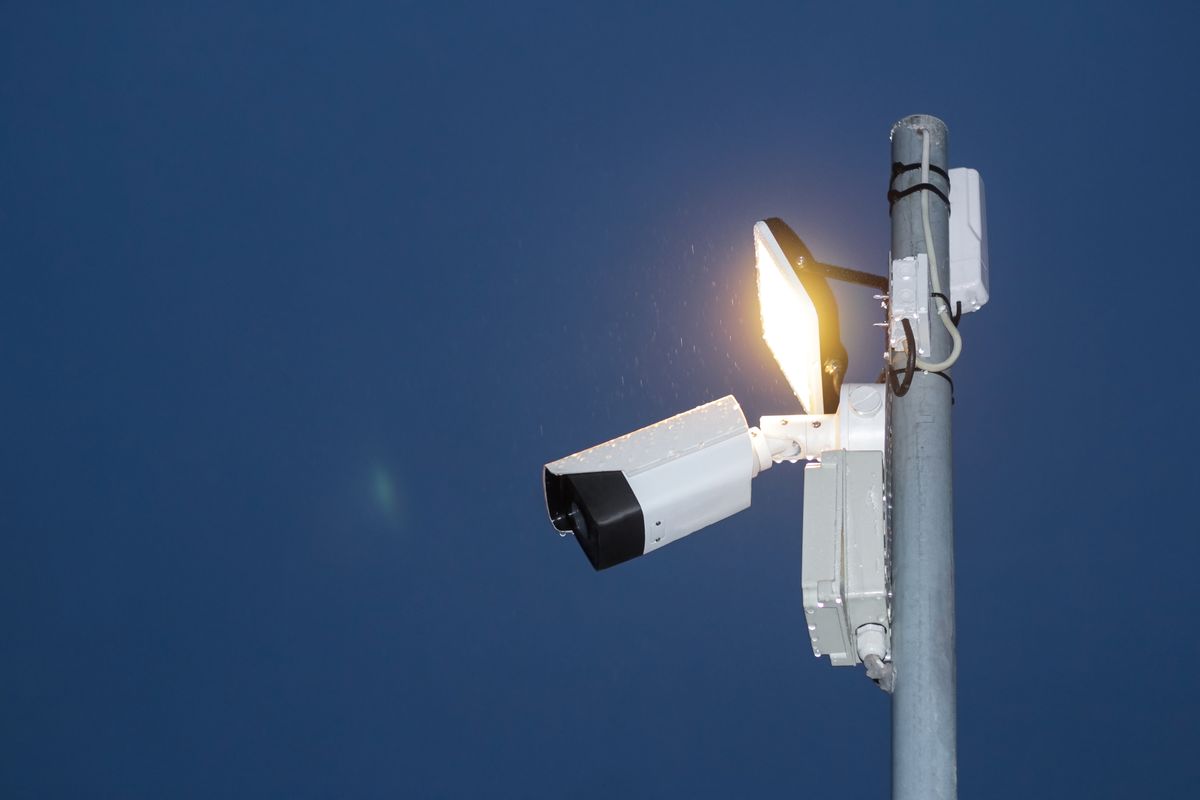
Photo by Henrikas Mackevicius on Pexels
Follow this step-by-step physical calibration protocol to clear up night vision footage on your outdoor security cameras.
5 Critical Mistakes That Ruin Solar Camera Night Vision
Avoid these common setup and operational errors to maintain crystal-clear nighttime property surveillance:
Frequently Asked Questions About Night Vision Troubleshooting
Clear answers to common solar security camera nighttime lighting and performance questions.
Related Outdoor Security Guides
- How to Fix Solar Camera Night Vision Issues: Troubleshooting Dark or Blurry Video
- Does an Outdoor Solar Security Camera Have Night Vision?
- How Color Night Vision Affects Solar Security Camera Battery Life (And How to Balance Power)
Next Steps for Total Nighttime Property Defense
Your decision: Determine whether optical angles, dirt accumulation, or battery voltage limits are degrading your nighttime video quality.
Do this next: Wipe optical glass dome, tilt camera 15 degrees off flat structures, and maintain solar battery state above 20%.
- Read next: Solar Safety Cameras Main Catalog
Outdoor Solar Security Camera (Pack) with PTZ Control and Color Night Vision
Complete your night vision optimization by applying physical offset angles, maintaining battery reserves, and managing camera settings.