Outdoor Solar Security Camera WiFi Requirements FAQ: Speed, Range, and Bandwidth
An outdoor solar security camera needs a stable 2.4 GHz WiFi link at the mount for 1080p live view, Tuya Smart alerts, PTZ commands, two-way audio, and cloud clips. Speed is rarely the first failure; range through walls is. Bandwidth is a household pool: several cameras plus phones and TVs share it. Prove the link with a phone at the 8-10 foot plate before drilling.
Speed, range, and bandwidth are three different problems
Speed is how fast a clip can upload once the radio is connected. Range is whether the radio stays connected through brick, foil insulation, and a metal door. Bandwidth is how much of the home network is left when a teenager streams and two cameras wake at once.
Most outdoor solar cameras fail on range. The office router looks fast on a laptop two rooms away and dies on the far eave. A phone test at the mount is the requirement, not a megabit claim on a marketing page.
Do not chase 5 GHz for a yard camera. That band is faster indoors and weaker through exterior walls. 1080p live view is fine on a healthy 2.4 GHz hop.
What 1080p live view actually uses
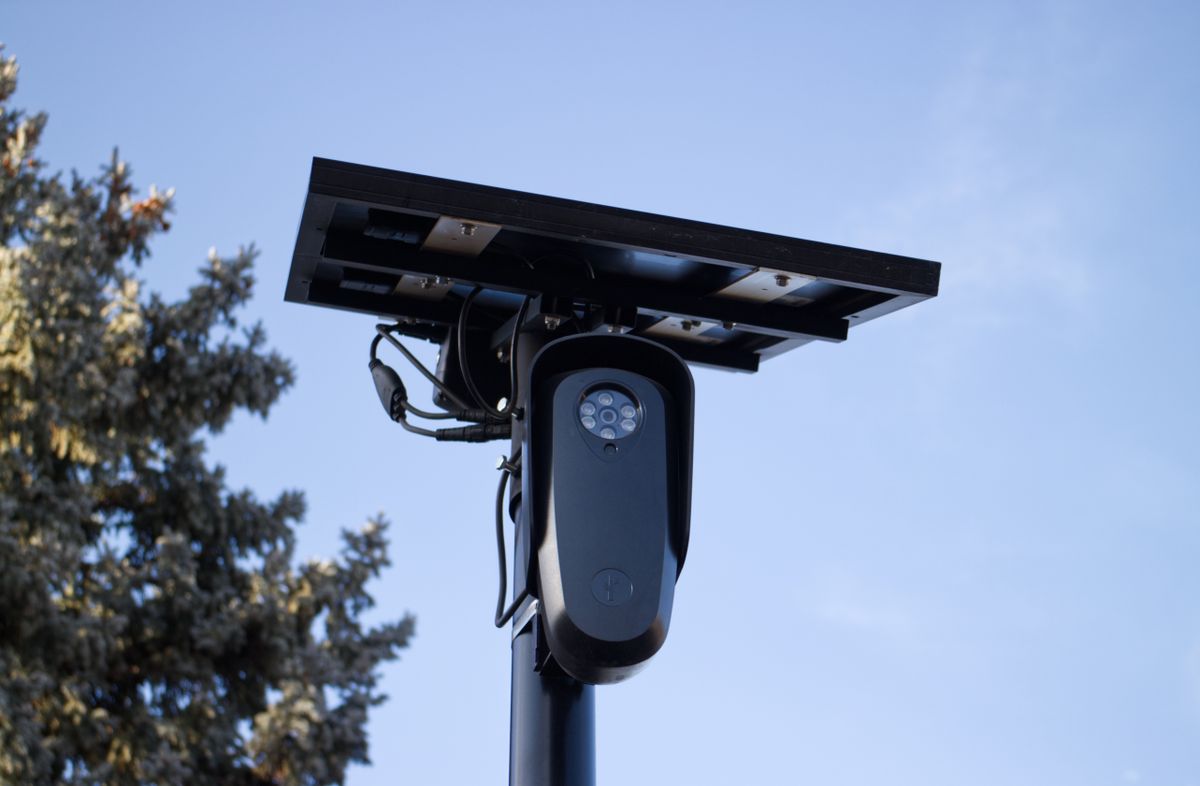
Photo by Will Freeman on Pexels
Live view is a short, steady stream while someone watches. Motion clips are smaller still. Cloud storage, including a 30-day trial when used, uploads after events. PTZ and two-way audio add command traffic. None of that needs a gigabit lab result. All of it needs a link that does not freeze.
Leave live view open all evening and the 5200 mAh pack plus the household bandwidth both take a hit. Use the Tuya Smart app as a check, not as a television.
If live view starts and then stalls when a call begins, that is bandwidth sharing, not a broken camera. Pause other heavy streams during a security check, or move the camera onto a less busy access point.
Range: walls, distance, and 2.4 GHz
Count walls, not lawn feet. Two exterior walls and a fridge wall will beat a 40-foot open patio. Metal roofs, foil-backed foam, and stucco mesh are common quiet killers. Stand at the mount on 2.4 GHz and try a video. If the phone fails, the IP65 camera inside a housing will not do better.
Raise or relocate the indoor router before buying boxes. Then add a mesh node toward the yard. An extender is a last indoor hop, not a chain.
A camera can still record to a card up to 128 GB when WiFi dies. Remote pan, alerts, and cloud will not. Treat radio as a requirement for the app, not as optional garnish on a solar pack.
Bandwidth when several cameras share one router
Each extra outdoor unit is another event uploader. Four cameras that all see the same windy tree will wake together and saturate a modest household link. Draw motion zones so trees and streets do not fire as a chorus.
Stagger settings if needed: one camera as the live-view unit, others as clip-only. Cloud uploads during the 30-day trial are a good stress test of the home connection. If evenings crawl, the plan is too many simultaneous streams, not a mysterious camera defect.
Give each camera a reserved address. After a router reboot, wandering addresses look like 'WiFi requirements' failures and are not.
WiFi requirement versus what actually breaks
| Need | Good enough | Typical failure | | --- | --- | --- | | Speed | Stable 1080p live view at the mount | Chasing indoor 5 GHz scores | | Range | Phone video holds at 8-10 feet outdoors | Two exterior walls and a basement router | | Bandwidth | Clips upload while the house is in use | Every camera live-streaming at once | | Band | Dedicated 2.4 GHz name | Band steering that hides 2.4 GHz | | App jobs | PTZ, talk, and alerts after a reserved address | Assuming local card replaces remote control |
Solar camera WiFi requirements checklist
Photo by Giant Asparagus on Pexels
- [ ] Keep a 2.4 GHz network the camera can join by name.
- [ ] Phone-test video at the exact 8-10 foot mount.
- [ ] Reserve an address for each camera.
- [ ] Limit live view; let motion clips carry the archive.
- [ ] Draw motion zones so several cameras do not upload together.
- [ ] Retest PTZ and two-way audio after any router or mesh change.
Frequently asked questions
How much WiFi speed does a solar security camera need?
Enough that 1080p live view in the Tuya Smart app starts and holds at the mount. A household already used for video calls is usually enough if range is there.
Is 5 GHz better for outdoor cameras?
It is faster in the same room and weaker through exterior walls. Prefer 2.4 GHz for a solar camera on an eave.
Do several cameras need a business internet plan?
Not by default. They need range at each mount and motion zones that prevent a chorus of uploads. Upgrade the link only after that is clean.
What happens to PTZ if WiFi is weak?
The picture may still show a stale frame while pan commands and two-way audio fail. Fix the radio before replacing the head.
Can the camera work with no WiFi at all?
The 3.5W panel and 5200 mAh pack still power the unit. Local recording may continue on a card. App alerts, cloud, and remote PTZ will not.
Related reading
Extenders, dropouts, app pairing, and wireless hardening sit next to these WiFi requirements.
- WiFi extenders versus mesh for outdoor solar cameras
- troubleshooting outdoor solar camera WiFi dropouts
- wireless outdoor camera app FAQ for first-week setup
- how to secure wireless solar cameras against account abuse
What to do next
Name a 2.4 GHz network, stand at the 8-10 foot mount, and hold a live video on a phone. If it fails, fix range before pairing. If it holds, add the camera in the Tuya Smart app, reserve its address, and test 1080p live view, a pan, and a short two-way talk. Then draw motion zones so extra cameras do not upload as a pack.
Cover photo by Brett Jordan on Pexels.