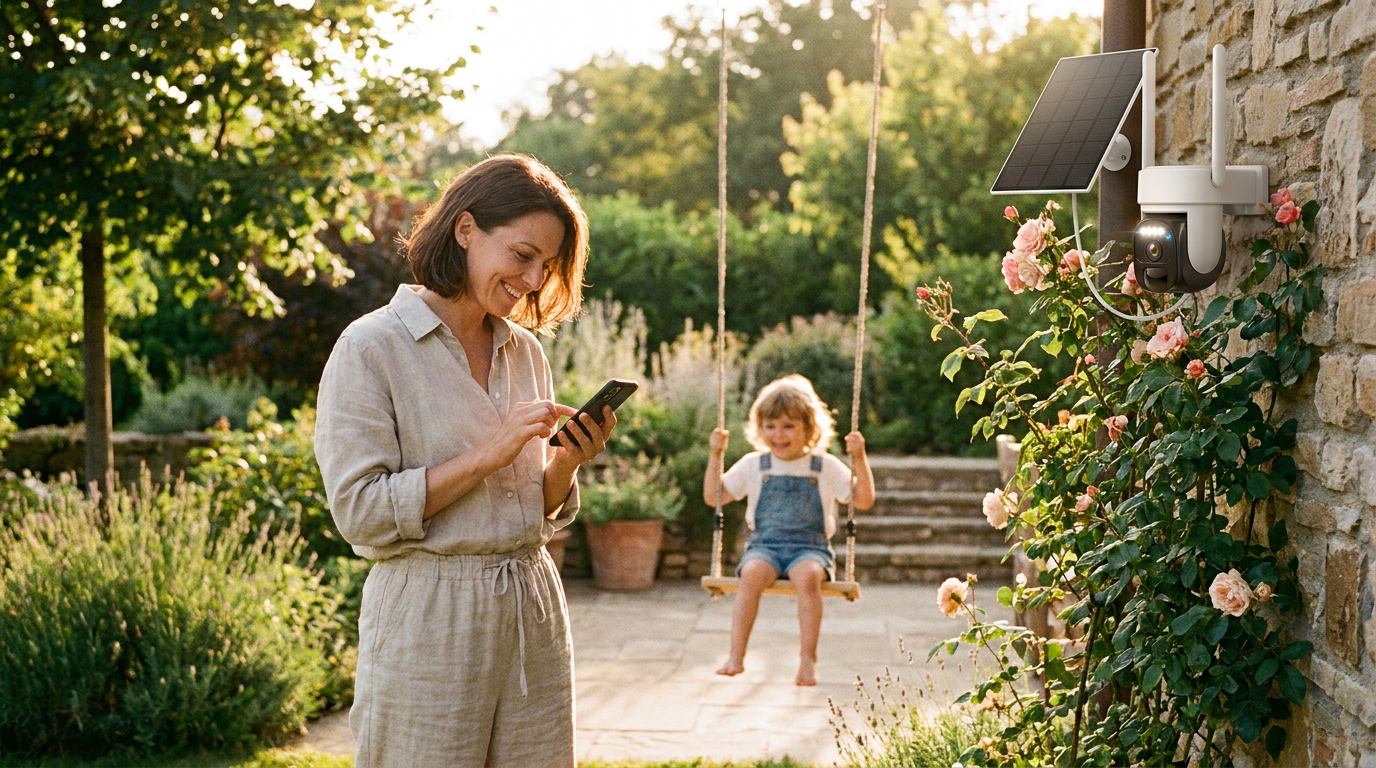
How do I set up an Outdoor Solar Security Camera with an app?
 Daniel OkaforField Tester
May 18, 2026 — Setting up an Outdoor Solar Security Camera requires a 2.4GHz Wi-Fi connection, a smartphone app, and proper panel positioning to ensure consistent power and remote access.
Homeowners and renters increasingly seek these systems to avoid the labor of hardwiring power cables through exterior walls. As discussed in local community forums like Grand Rapids Informed on Facebook, the primary motivation for this hardware is the ability to monitor property in real-time without recurring monthly subscription fees for cloud storage.
How do I connect the camera to my Wi-Fi network and phone?
To connect the device, you must download the manufacturer's proprietary app and scan a QR code on the camera body while your phone is connected to a local network. Most solar-powered units are optimized for the 2.4GHz band because it offers a longer range through exterior barriers like brick or siding compared to 5GHz bands. Reolink notes that for models like the Argus 4 Pro, the smartphone app acts as the primary interface for live viewing and adjusting motion sensitivity to preserve battery life. Once the app recognizes the device, you will be prompted to name the camera and set a secure password. It is critical to perform this sync indoors near your router before mounting the hardware outside to ensure the initial firmware update completes without interruption.
Where should I mount the camera for the best app performance?
Photo by Joshua Brown on Pexels
Mount your camera in a location that receives at least three to four hours of direct sunlight daily and maintains a signal strength of at least two bars as indicated in the device app. Signal interference can cause lag in the live feed or delayed push notifications, so testing the connection at the mounting site before drilling is essential. For areas where Wi-Fi signals cannot reach, specialized hardware like the Arlo Go 2 utilizes 4G LTE connectivity to provide off-grid protection without a local network. If you are using a standard Wi-Fi model, ensure the solar panel is angled toward the south (in the northern hemisphere) to maximize energy conversion. The app will typically show a charging icon when the panel is successfully delivering power to the internal battery, allowing you to verify the installation's efficiency in real-time.
Quick answers
Q: Can I view my camera feed on multiple phones? A: Yes, most Outdoor Solar Security Camera apps allow you to share access with up to 8 family members via an invitation link or account sharing. Each user will need to download the app and create a unique login to view the encrypted stream.
Q: Does the app work if my home Wi-Fi goes down? A: If the Wi-Fi connection is lost, the camera will continue to record to a local microSD card if one is installed, but you will lose the ability to view live footage or receive alerts on your phone until the network is restored. Brands like Arlo offer LTE backup for this specific scenario.
Q: How much data does the phone app use? A: Streaming in high definition typically consumes about 1GB to 2GB of data per hour of continuous viewing. To save data, you can toggle the app settings to "Fluent" or "Standard Definition" when viewing over a cellular connection.
Q: Will the app notify me if the battery is low? A: Most modern applications send a push notification when the battery level drops below 10% or 20%. This ensures you have time to check if the solar panel is obstructed by debris or if the camera needs a manual USB charge during extended periods of overcast weather.
Learn more about Outdoor Solar Security Camera at https://solarsafetycameras.com.
Sources
Photo by Elmir Jafarov on Pexels
- Best outdoor security cameras?? with app for your phone - Facebook
- Battery Powered Security Cameras with Smartphone App - Reolink
- Arlo Go 2 4GLTE Wireless Outdoor Security Camera