
Mesh WiFi vs. Range Extenders for Outdoor Security Cameras: Which Is Best?
Should you purchase an inexpensive WiFi range extender or invest in a Mesh WiFi system for your outdoor security cameras? Mesh WiFi is the clear winner. Range extenders reduce available upload bandwidth by 50% and introduce significant packet latency, leading to Pan-Tilt-Zoom (PTZ) command lag, video buffering, missed motion recordings, and frequent offline alerts through exterior building walls.
Feature-by-Feature Comparison: Mesh WiFi vs. WiFi Extenders
| Deployment Scenario | WiFi Range Extender Performance | Mesh WiFi System Performance | Recommended Network Choice |
| --- | --- | --- | --- |
| Single fixed camera <20 ft from house (wood siding) | Tolerable. Video uploads stably, though minor app loading delays occur. | Flawless. Immediate live view launch and zero frame drops. | WiFi Extender (Budget Option) |
| 2-Pack PTZ Solar Cameras through brick or stucco walls | Failure Mode: 50% upload speed loss, PTZ controls lag by 1.5+ seconds, frequent camera buffering. | Optimal. Strong 2.4 GHz signal penetration, sub-200ms PTZ pan/tilt responsiveness. | Mesh WiFi System |
| Multi-camera commercial perimeter (100+ ft coverage) | Failure Mode: High packet loss, false offline alerts, excessive solar battery drain due to retries. | Optimal. Dedicated radio backhaul keeps multi-camera cloud uploads stable across the property. | Mesh WiFi System |
| Real-time Two-Way Audio & Active Intruder Deterrence | Failure Mode: Audio clipping, robotic voice delay, audio/video out of sync by 2–4 seconds. | Optimal. Crisp, full-duplex two-way voice communication with real-time video sync. | Mesh WiFi System |
Outdoor security cameras place unique demands on your home network. Unlike smart TVs that primarily download video, surveillance cameras constantly upload high-definition video streams and require instant, low-latency communication for real-time PTZ commands and two-way audio. The table below compares how both networking technologies handle real-world property surveillance scenarios.
The Architectural Trade-Offs: Range Extenders vs. Mesh WiFi

Photo by Chris Thornton on Pexels
Pros
- Mesh WiFi: Preserves 100% of upload bandwidth using dedicated backhaul channels.
- Mesh WiFi: Provides sub-200ms latency for real-time PTZ pan, tilt, and zoom app controls.
- Mesh WiFi: Uses a single, unified network name (SSID) allowing mobile devices and cameras to roam seamlessly.
- Range Extender: Low upfront cost ($25–$50) for temporary or close-range single-camera setups.
- Range Extender: Cuts upload speed by 50% immediately upon connection.
- Range Extender: Creates severe latency jitter, causing video buffering and delayed motion alerts.
- Range Extender: Often requires a separate network extension SSID (e.g., 'HomeNetwork_EXT'), causing connectivity confusion.
- Mesh WiFi: Higher initial hardware investment ($150–$350+ for multi-node kits).
Standard WiFi range extenders operate in half-duplex mode using a single radio frequency. The extender receives data packets from your camera, pauses, and re-transmits those same packets to your central router on the exact same radio channel. This mechanism instantly cuts your available network throughput in half and doubles network latency.
When controlling a Pan-Tilt-Zoom (PTZ) outdoor camera, this latency spike manifests as a frustrating command delay: you press 'Pan Right' in your mobile app, nothing happens for two seconds, and then the camera over-rotates past your desired viewing angle. Worse, continuous network packet retries keep the camera's wireless module running at peak power consumption, rapidly depleting the solar panel's battery backup on overcast days.
In contrast, Mesh WiFi systems utilize multiple intelligent nodes that form a unified wireless fabric across your property. Tri-band mesh networks utilize a dedicated, high-speed backhaul channel to relay video data back to the main router without sacrificing bandwidth or increasing command latency.
Our Expert Recommendation: Choosing for Your Property
If you are deploying a multi-camera pack—such as our Outdoor Solar Security Camera 2-Pack or 4-Pack—or if your property features exterior brick, stucco, stone, or aluminum siding, you should install a Mesh WiFi system. The dedicated backhaul and low-latency performance are essential for maintaining smooth 2K color night vision cloud uploads and responsive PTZ app controls.
Reserve single-band WiFi range extenders strictly for single, fixed-lens (non-PTZ) cameras mounted within 25 feet of your main router with standard drywall and wood exterior construction.
Top Outdoor Security Camera WiFi Setup Failures
Avoid these critical installation mistakes that lead to missed security footage, camera buffering, and premature battery depletion.
Decision Flowchart: Mesh WiFi or Extender for Your Property?
- Are you installing 2 or more outdoor security cameras or a PTZ (Pan-Tilt-Zoom) camera pack? → Yes: Go to Question 2. No: Go to Question 3
- Is your property over 1,500 sq. ft. or constructed with exterior brick, stucco, or metal siding? → Yes: BUY MESH WIFI: Multi-camera packs and dense building materials require mesh backhaul to prevent command lag and offline video drops.. No: BUY MESH WIFI: PTZ cameras require low-latency bandwidth to prevent pan/tilt overshooting in the app.
- Is the camera mounting point within 25 feet line-of-sight of your existing router? → Yes: EXTENDER IS TOLERABLE: A basic 2.4 GHz extender will work for a single fixed camera, though a mesh node offers better long-term reliability.. No: BUY MESH WIFI: Extended distance through exterior walls cuts extender bandwidth below the 2-4 Mbps upload threshold required for HD video.
Key Takeaways for Outdoor Camera Networking
- Upload Speed is Critical: Each 1080p/2K camera stream requires 2 to 4 Mbps dedicated upload bandwidth.
- Half-Duplex Bandwidth Halving: Traditional range extenders slice available throughput by 50%, causing video freezing.
- PTZ Latency Sensitivity: Remote Pan-Tilt-Zoom controls require low packet latency (<200ms) to avoid lagging or overshooting.
- 2.4 GHz Dominance: Outdoor solar cameras rely on 2.4 GHz radios for maximum wall penetration and long-range propagation.
- Battery Preservation: A strong, stable WiFi connection reduces packet re-transmissions, helping solar panels keep camera batteries fully charged.
Network Selection Framework: Best Choice by Property Scenario
For multi-camera packs, continuous cloud recording, and active PTZ control, Mesh WiFi provides the required upload stability and minimal command latency. Extenders should only be used as a low-cost stopgap for single fixed cameras near the main router.
Best choice for
- Mesh WiFi Network — Handles simultaneous high-bitrate video streams from multiple cameras without congestion or PTZ lag.
- Mesh WiFi Network — Allows placement of an indoor mesh node on the exterior wall directly inside from the outdoor camera point.
- WiFi Range Extender — Provides a low-cost signal boost when upload bandwidth demands and latency sensitivity are low.
- Avoid range extenders if you rely on live Two-Way Audio to speak with visitors or deter intruders in real time.
- Avoid range extenders if your home internet plan has limited upload speed (<10 Mbps total uplink).
- Outdoor Access Point (Hardwired Power over Ethernet) — Ideal for sprawling commercial properties or acreage where running an Ethernet cable to an exterior mounting point is feasible.
Recommended Outdoor Surveillance Hardware
Pair your optimized wireless network with surveillance hardware engineered for seamless remote property defense.
Real-World Deployment Scenarios & Performance Outcomes
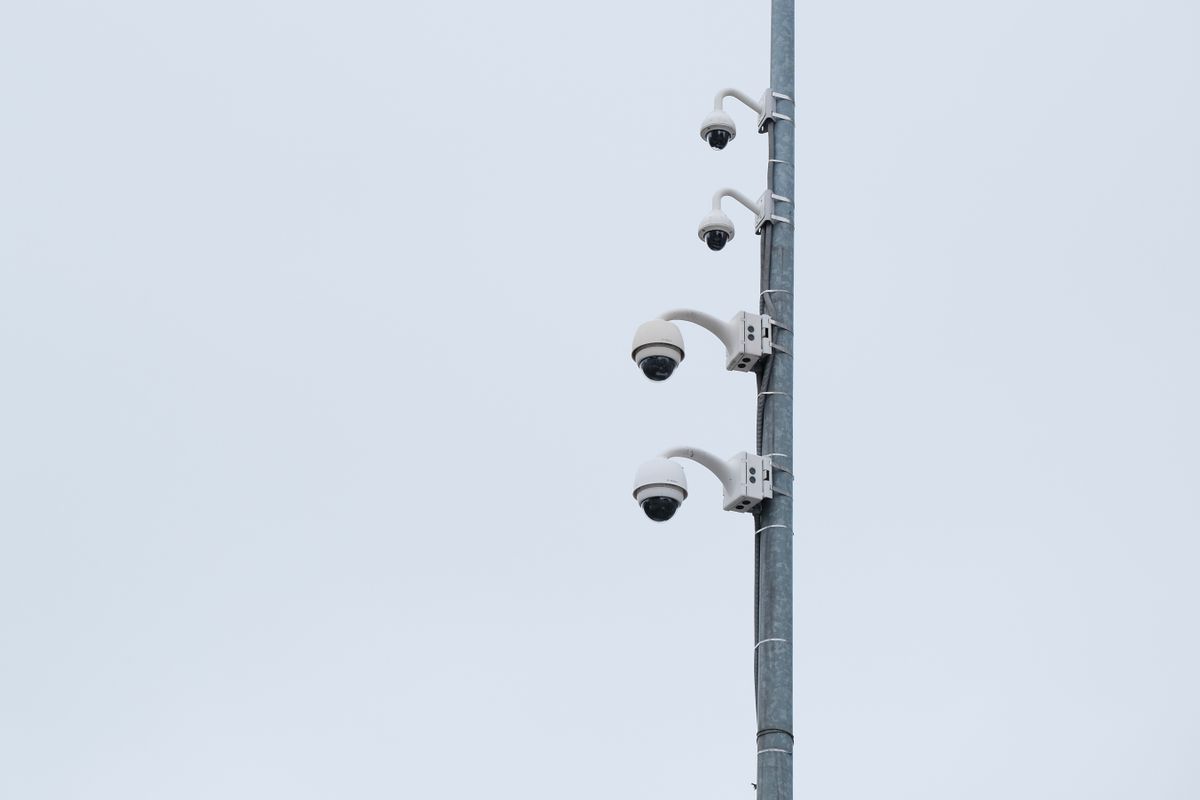
Photo by Tomas Ryant on Pexels
Suburban Home with Brick Siding & Detached Garage Camera — Deploy a 2-Node or 3-Node Mesh WiFi System. Place one mesh node near the rear window facing the garage. This guarantees that your Outdoor Solar PTZ Camera receives a full 2.4 GHz signal, ensuring immediate motion alerts and smooth pan/tilt panning across the driveway.
Commercial Commercial Yard or Storage Facility — Utilize a Tri-Band Mesh System. Tri-band nodes dedicate an entire 5 GHz radio channel strictly to inter-node communication, leaving the 2.4 GHz band completely open for multi-pack solar security cameras to record and upload event clips without network throttling.
Single Front-Porch Fixed Solar Camera — A standard WiFi Range Extender can suffice if positioned within 15 feet of the main router. However, ensure the extender is configured to broadcast the main network SSID so app connectivity remains seamless when walking out the front door.
Examine how network selection directly impacts security outcomes across common suburban and commercial property layouts.
The Physics of Radio Signal Attenuation Through Building Materials
Wireless signals degrade significantly as they pass through exterior structural walls. While a standard 2.4 GHz WiFi signal travels easily through interior drywall and wood framing, dense exterior materials cause severe radio frequency (RF) attenuation:
- Standard Wood Siding & Drywall: 2 to 4 dB signal loss
- Brick & Mortar Exterior Walls: 6 to 10 dB signal loss
- Stucco with Wire Mesh Backing: 12 to 20 dB signal loss (acts as a partial Faraday cage)
- Double-Pane Low-E Glass Windows: 8 to 13 dB signal loss
Why Upload Speed Matters More Than Download Speed
When internet service providers advertise '300 Mbps Internet', they are referring almost exclusively to download speed—the rate at which data travels from the internet to your phone or TV. However, security cameras are data generators. They rely entirely on upload speed (uplink) to push high-definition video frames to the cloud server and stream live video to your smartphone app.
A single 1080p or 2K outdoor solar camera streaming at 15 to 20 frames per second requires approximately 2.5 to 4.0 Mbps of stable upload bandwidth. If you deploy a 4-pack of cameras, your network must support a sustained 10 to 16 Mbps upload load purely for surveillance. A range extender that cuts your garage upload speed from 12 Mbps down to 3 Mbps will choke under the bandwidth demand of a multi-camera pack, causing delayed alerts, pixelated night vision feeds, and offline app drops.
Impact on Solar Battery Lifespan
One overlooked aspect of security camera networking is battery management. Outdoor solar security cameras rely on energy-efficient sleep modes, waking up when their passive infrared (PIR) sensors detect motion. Once awake, the camera must quickly connect to the WiFi network, handshake with the cloud server, and upload the motion clip.
On a high-latency extender connection with heavy packet loss, the camera spends 10 to 15 seconds attempting to establish a stable upload connection for a simple 10-second video clip. This prolonged awake cycle drains the internal lithium battery much faster than normal. On a responsive Mesh WiFi network, the same upload process takes under 2 seconds, allowing the camera to return to low-power sleep mode immediately and ensuring the solar panel maintains a 100% battery charge year-round.
Visual Architecture: Mesh Backhaul vs. Single-Radio Retransmission
This diagram illustrates the structural data routing differences between a half-duplex range extender and a seamless multi-node mesh network.
Interactive Tool: Camera Network Bandwidth & Hardware Estimator
Use this planning tool to calculate your total required upload speed and determine whether your outdoor layout requires a Mesh WiFi system.
Frequently Asked Questions About Outdoor Camera Networking
Answers to critical networking questions for homeowners and business owners installing outdoor wireless surveillance.
Action Plan: Upgrade Your Network & Protect Your Property
Your decision: Choose a Mesh WiFi System for multi-camera packs, PTZ pan/tilt control, or properties with exterior brick, stucco, or metal siding. Choose a basic 2.4 GHz range extender only for a single fixed camera mounted near the main home.
Do this next: Audit your outdoor upload speed by standing at your intended camera mounting location with a smartphone connected to your 2.4 GHz network. Verify you have at least 3-4 Mbps upload speed per camera before drilling mounting holes.
- Read next: How to Fix Outdoor Security Camera WiFi Disconnections and Offline Alerts
- Read next: Outdoor Solar Security Camera WiFi Requirements FAQ: Speed, Range, and Bandwidth
Outdoor Solar Security Camera (Pack) featuring PTZ Control, Color Night Vision, Two-Way Audio, and Cloud Backup.
Follow these practical steps to optimize your outdoor signal and deploy a reliable, feature-rich surveillance system.