Solar Camera Motion Alerts: Schedules, Cooldowns, and Who Gets Notified
Most false alarms are not detection failures. They are notification failures: the camera correctly saw movement, and the app correctly told you about something you never wanted to hear about. Fixing that means working on the alert layer rather than the sensor, which comes down to four controls: what triggers a push, when pushes are allowed, how often the same event can repeat, and which person receives which alert.
This guide covers the notification side specifically. Deciding which parts of the frame the camera watches is a separate task, handled by drawing detection areas, and the two work best when configured in that order: shape the area first, then shape the alerts.
Why do so many alerts arrive for nothing?
A motion sensor cannot tell you what it saw, only that pixels changed or that heat moved. Ordinary outdoor life changes pixels constantly.
The usual culprits, in rough order of how often they cause complaints:
- Shadows sweeping across a wall or driveway as the sun moves
- Branches, tall grass, and ornamental plants moving in wind
- Rain and snow falling close to the lens, where drops are large in frame
- Insects and spiders attracted to the camera's own night illumination
- Headlights and reflections crossing a wall or garage door
- Pets and local wildlife moving through the yard
- Sprinklers, flags, hanging plants, and wind chimes
- Traffic and pedestrians on a public sidewalk beyond your property
The four alert controls that matter most
Photo by tommy picone on Pexels
1. Trigger type. If the camera can distinguish general movement from person-shaped movement, set person detection as the trigger for push notifications and leave general motion recording to the timeline. That single change removes most weather and wildlife alerts while keeping the footage.
2. Sensitivity. Sensitivity is a threshold, not a quality setting. High sensitivity catches a cat at the edge of the frame and also catches a moth. Reduce it one step at a time and re-test over a full day, since the useful setting depends on the scene, not on a universal number.
3. Cooldown, sometimes labeled alert interval or dead time. This is the minimum gap between notifications for the same area. A short cooldown of a few seconds produces a stream of pushes for one delivery driver walking up a path. A longer cooldown of one to three minutes turns that same visit into a single alert with the full clip still recorded.
4. Schedule, sometimes labeled arming schedule or modes. Alerts do not need to be on all the time to be useful. Most households want everything overnight and very little during the working day, when normal traffic on the property is expected.
A workable schedule for a home or small business
| Time block | Recording | Push alerts | Reasoning | |---|---|---|---| | Overnight | All motion | Any motion, or person if available | Nothing legitimate should be moving; sensitivity to spare | | Early morning | All motion | Person only | Deliveries and commuters generate noise | | Business or school hours | All motion | Person only, or off in busy areas | Expected activity should not interrupt | | Evening | All motion | Person only | Family movement is normal, strangers are not | | Weekends and vacation | All motion | Any motion | Fewer expected visitors, more value from breadth |
Recording stays on continuously in every row. That matters: turning alerts down does not mean losing evidence, because the timeline and cloud backup keep the clips whether or not a notification was sent. A camera that supports cloud backup keeps that record even if the unit itself is stolen or damaged, which is the point made in our guide to affordable cloud storage for business surveillance.
How to route alerts to the right people
In a household or a small business, alert fatigue usually comes from everyone receiving everything. Splitting notifications by role fixes it faster than any sensitivity slider.
Testing changes so you know what worked
Change one control, then test deliberately rather than waiting to see what happens.
- Walk the approach path at a normal pace and confirm you receive exactly one alert, not six.
- Walk the boundary you do not want covered and confirm you receive nothing.
- Repeat both walks after dark, since illumination changes what the sensor sees and can pull insects into frame.
- Check the following morning for overnight alerts, then look at what caused them.
- Keep notes of each setting change and the date, so a regression after a firmware update is easy to spot.
Alerts that survive weak signal and low sun
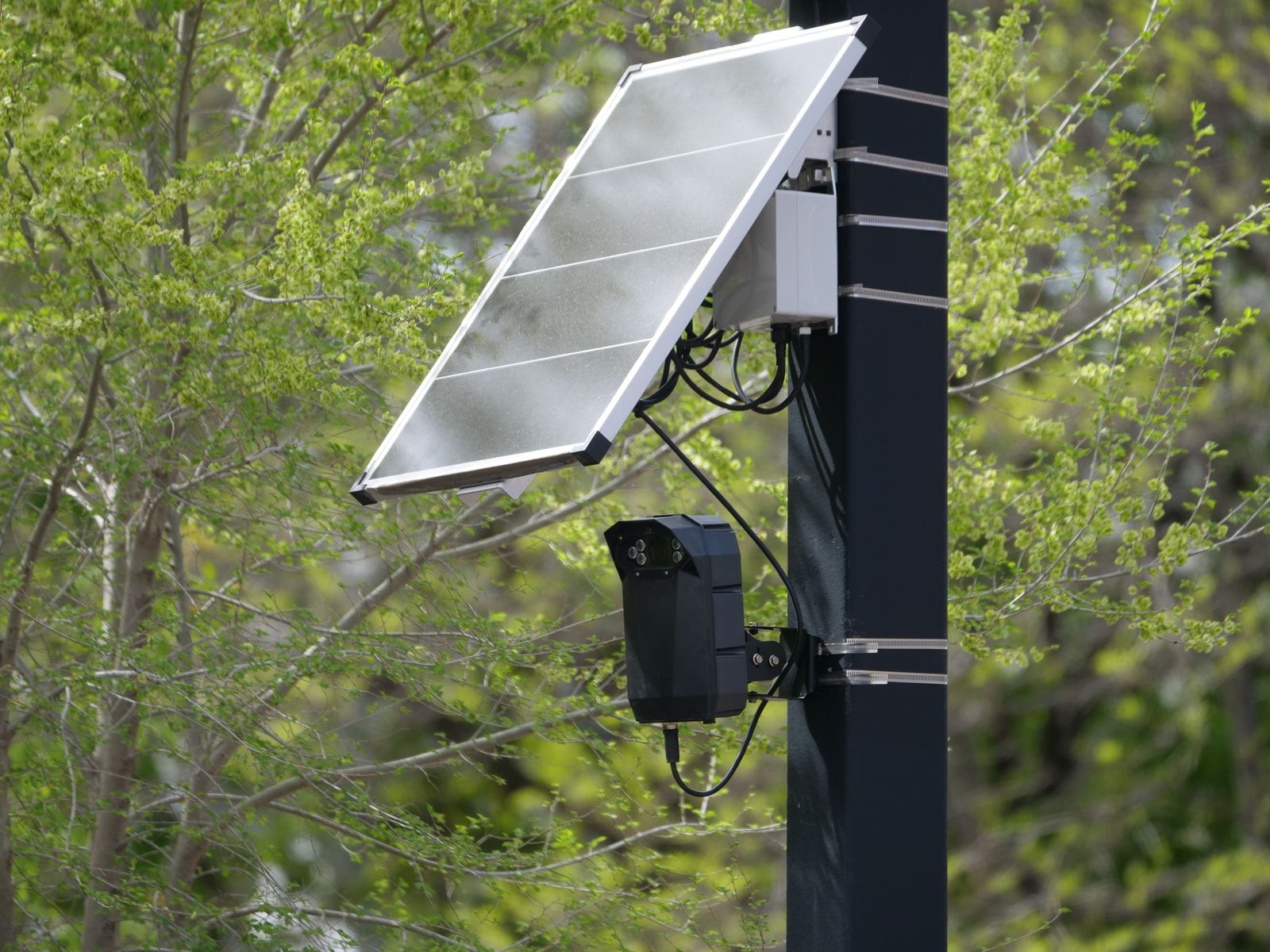
Photo by Giant Asparagus on Pexels
Alert delivery depends on the camera holding a connection and on it having enough charge to keep the radio active. Two habits make notifications more dependable on a solar unit:
- Reduce unnecessary triggers, and battery life improves. Every needless recording spends energy, and on a pan-and-tilt camera any tracking movement spends more. Trimming false triggers is a power optimization as much as a convenience one.
- Verify alerts still arrive after a cloudy stretch. If notifications go quiet during overcast weather, the issue is charge, not configuration.
Placement, audio, and local rules
Before finalizing what the camera watches and whether audio capture stays on, confirm the rules that apply where you live. Laws on recording audio and on filming areas beyond your own property vary by state, city, and country, and audio in particular is treated more strictly than video in many places. Keep coverage on your own entrances, driveway, and structures, and never aim or use a camera to record inside a neighbor's home or fenced private space. For driveway-specific framing, our notes on driveway motion detection cover practical angles.
FAQ
Should I lower sensitivity or turn off motion alerts in a busy area? For a camera facing a busy street or shared walkway, turning push alerts off while leaving recording on is usually better than fighting the sensitivity slider. You keep the footage for review without a phone that buzzes every time someone walks past.
Will fewer alerts mean I miss real events? Not if recording stays on. Alerts and recordings are separate functions. A quieter notification profile with continuous motion recording means you still have the clip; you just are not interrupted for a passing raccoon.
Why do I get a burst of alerts at dawn and dusk? Low sun angles throw long moving shadows and cause the camera to switch between day and night modes. Both change the image enough to look like motion. A longer cooldown plus a slightly lower sensitivity handles it, and person-only alerts handle it almost completely.
Do notifications work when the internet is down? No. Push notifications require the camera to reach the internet. Local recording, where supported, continues, but alerts resume only when connectivity returns. Cloud backup is what protects the record across those gaps, discussed further in our office cloud storage guide.
Next step
Set person-only alerts during daytime hours, extend the cooldown to at least a minute, and leave recording on around the clock. Then walk your own approach path once in daylight and once after dark and count the notifications. If you get one alert per walk and nothing overnight that you cannot explain, the configuration is done.
Cover photo by Atypeek Dgn on Pexels.